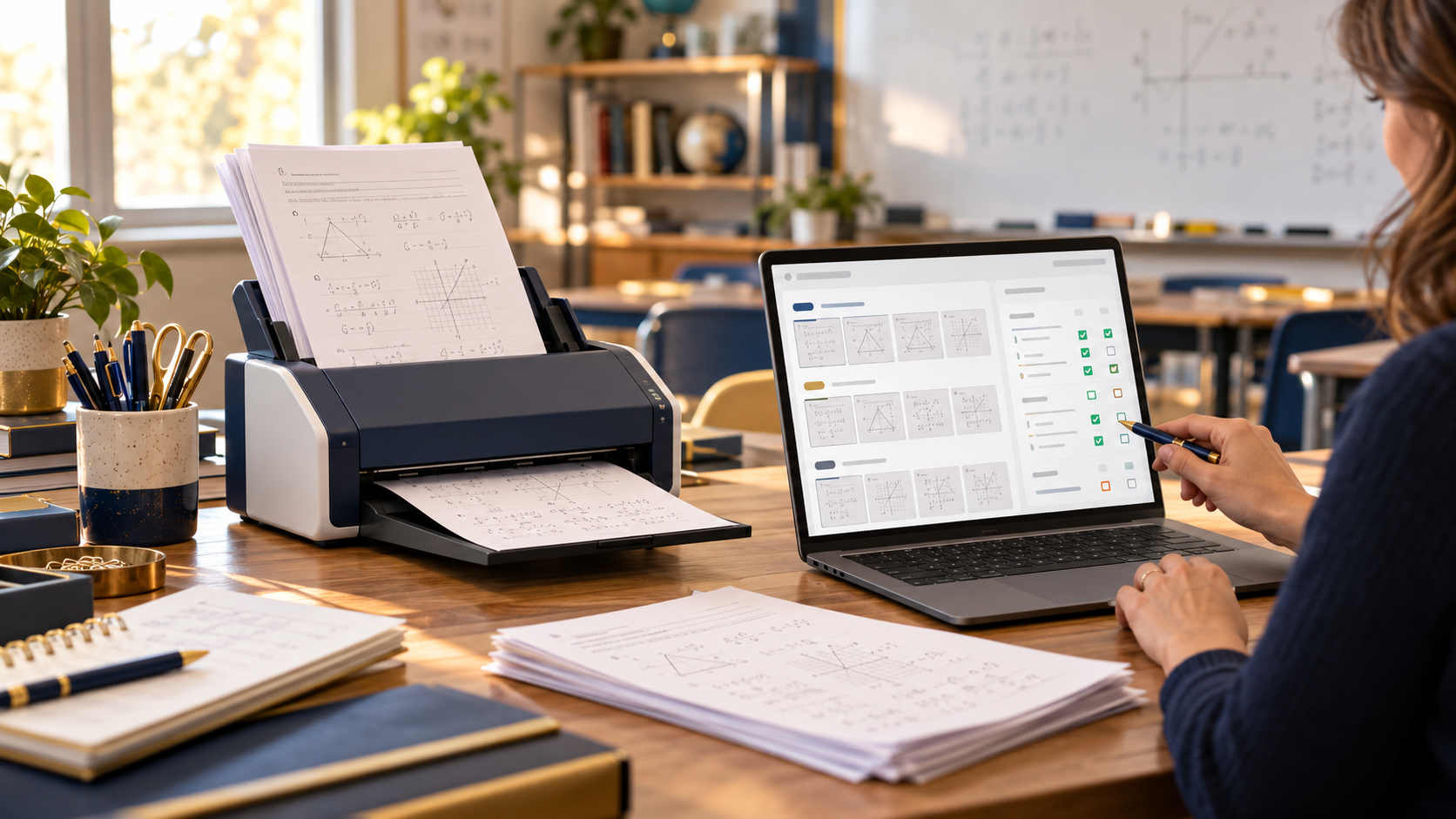
AI Grading Station: Brother ADS-1300 + Gradescope
Paper still makes sense in many classrooms. Students can solve equations, annotate passages, sketch diagrams, and take quizzes without another screen. The problem starts when those papers reach the teacher. An AI grading station offers a practical way to digitize that stack and reduce the repetitive work that follows.
The idea combines two technologies with very different jobs. The Brother ADS-1300 turns stacks of paper into digital files. Gradescope then provides tools for organizing submissions, applying rubrics, and grouping similar answers. The result targets teachers who want to keep paper in the classroom while improving what happens after students hand it in.
Why Paper Grading Needs a Better Workflow
A single worksheet rarely looks intimidating. Multiply it by 30 students and several classes, and the workload changes quickly.
Digital assignments solve part of that problem because software already has the submissions. Paper introduces an extra step. Teachers need an efficient way to move physical work into a digital grading environment before software can help.
That makes scanning speed more important than it first appears.
A flatbed scanner works well for photos, books, and occasional documents. It becomes tedious when a teacher needs to process dozens of similar worksheets. Each page requires placement, scanning, removal, and replacement.
A sheet-fed scanner changes that process. The teacher loads a stack and lets the automatic document feeder move pages through the scanner.
That simple difference forms the hardware foundation of an AI grading station.
The Brother ADS-1300 uses a 20-sheet automatic document feeder and scans at up to 30 pages per minute. It also captures both sides in one pass at up to 60 images per minute. Brother rates its optical scan resolution at up to 600 x 600 dpi.
For classroom work, duplex scanning matters as much as raw speed. A student can show calculations on the front and continue working on the back. The scanner can capture both without asking the teacher to flip every sheet.
Brother also rates the ADS-1300 for a maximum daily duty cycle of 1,000 sheets. That figure describes its intended workload class rather than a target teachers need to reach. Still, it gives the scanner plenty of headroom for routine classroom batches.
Building an AI Grading Station Around the Brother ADS-1300

Last update on 2026-09-29 / Affiliate links / Images from Amazon Product Advertising API
The ADS-1300 makes sense here because Brother keeps the hardware focused.
It measures roughly 11.3 inches wide, 4 inches deep, and 3.3 inches high according to Brother’s product brochure. It weighs about three pounds. That compact footprint matters on a teacher’s desk, where monitors, papers, lesson materials, and classroom supplies already compete for space.
USB-C power adds another practical advantage. Brother includes a USB Type-C cable, and a compatible USB-C connection can provide both the computer connection and bus power. Teachers can therefore avoid adding another permanent power brick to an already crowded workstation.
There is a trade-off. The ADS-1300 does not include network connectivity. Brother designed it primarily as a directly connected desktop scanner rather than a shared wireless device.
For a personal AI grading station, that limitation may not matter. A teacher can keep the scanner beside a laptop or desktop computer and scan directly into the grading workflow.
A department that wants several teachers to share one scanner may prefer network connectivity. The same applies when staff members want to scan from mobile devices or send documents without connecting a computer.
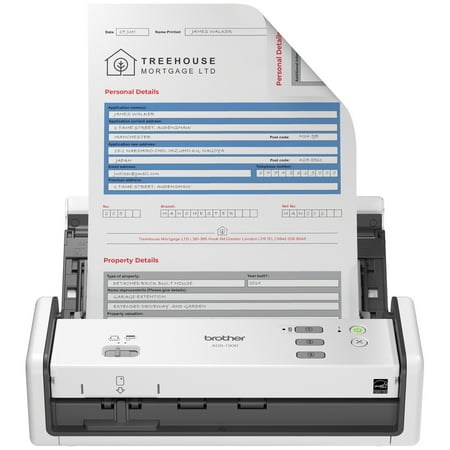
Brother ADS-1300 Compact Color Desktop Scanner, up to 30ppm, Single Pass Double-Sided Scanning
The ADS-1300 supports searchable PDFs alongside standard PDF, PDF/A, TIFF, JPEG, and several other output options through its software ecosystem. Brother also includes image-processing features such as automatic deskew, blank-page skipping, background removal, bleed-through removal, and text enhancement.
Those tools matter because AI-assisted grading starts with image quality. Crooked pages, faint pencil marks, background artifacts, and inconsistent scans can make digital processing harder. A scanner that creates clean, consistently aligned pages provides a stronger starting point.
Brother currently lists the ADS-1300 at $254.99 on its U.S. site. Pricing can change, so schools should check current purchasing or education pricing before budgeting.
How Gradescope Handles the AI Work
The scanner does not grade anything. It simply creates the digital input.
Gradescope provides the intelligence behind this AI grading station.
Gradescope supports fixed-template assignments, where students answer questions in known locations on a consistent worksheet or exam. That format lets the software analyze the same answer region across many student submissions.
Its Answer Groups feature lets instructors place similar responses into groups and grade those groups together. For supported question types, Gradescope AI can suggest the groups automatically.
That distinction matters.
The system does not need to make an unexplained judgment about an entire student’s paper. Instead, it can identify answers that appear similar and present those groups for the instructor to review.
Gradescope currently supports four grouping categories: manually grouped responses, multiple choice, math fill-in-the-blank, and text fill-in-the-blank. AI assistance applies to supported question types, while teachers can manually group other responses.
Handwriting support makes the workflow more interesting for math and short-answer work. Gradescope says its AI can read English-language handwriting and mathematical notation, including fractions and integral signs.
The format still matters. Gradescope recommends keeping fill-in responses on one line and providing a clear answer box or underscored region. That structure helps the system identify the final response.
This approach fits short math answers, vocabulary exercises, multiple-choice quizzes, science worksheets, exit tickets, and other repeated assessments particularly well.
Long essays create a different problem. So do sprawling handwritten derivations where every student’s work takes a different path.
Teachers should therefore view an AI grading station as a workflow tool, not an automatic teacher.
What the Workflow Looks Like in Practice
Imagine a teacher collecting a fixed-format math quiz from 30 students.
Students complete the quiz normally on paper. Nothing about the classroom experience requires a tablet, Chromebook, or online testing portal.
After class, the teacher loads the completed pages into the ADS-1300. A 20-sheet feeder means a 30-student class will require more than one batch when each student submits one sheet. Multi-page assignments will require additional batches.
The scanner then captures the pages and creates the required digital files.
For a Gradescope fixed-template assignment, the instructor starts with a blank version of the assignment and defines the question regions. Gradescope specifically recommends using a blank template that matches the version students received.
The teacher uploads the scanned submissions and associates them with students.
From there, supported questions can enter the Answer Groups workflow. Gradescope examines the relevant response regions and proposes groups containing similar answers.
Then human review becomes important.
The instructor checks each proposed group and confirms that the responses actually belong together. The teacher can remove an incorrect response, merge matching groups, rename groups, or manually organize ungrouped answers.
After confirming the groups, the teacher applies rubric items while grading.
If 12 students supplied effectively the same answer, grouping can remove the need to repeat the same grading action 12 times. The teacher can focus more attention on unusual answers, partial reasoning, and responses that need individual judgment.
That is the strongest argument for this AI grading station. AI handles pattern recognition and organization while the instructor retains the grading decision.
Where the Time Savings Actually Come From
Neither Brother nor Gradescope can promise a universal number of hours saved.
Assignment design changes everything. A structured multiple-choice quiz creates a much easier automation problem than several pages of open-ended handwritten analysis.
Gradescope does publish instructor testimonials that illustrate the potential.
A San Francisco State University chemistry instructor reports grading 10 multiple-choice questions for roughly 250 students in 15 minutes after grouping responses. A University of Oklahoma math instructor reports cutting one exam problem from roughly an hour of grading to about 10 minutes with grouping.
Those examples do not constitute controlled benchmarks. Teachers should not assume they will reproduce the same results.
They do, however, reveal where the efficiency comes from.
The software reduces repeated actions.
Consider 100 students who produce six common versions of an answer. Traditional grading can force the teacher to reconsider essentially the same response dozens of times. Grouping changes the unit of work from individual papers to patterns of answers.
At the same time, Gradescope uses consistent rubrics across submissions. That can help instructors apply the same criteria repeatedly while still allowing student-specific adjustments and comments when needed.
For teachers handling several sections of the same course, that combination could make the AI grading station more useful as class size grows.
Privacy, Access, and Things to Consider
Before buying hardware specifically for this workflow, check Gradescope access.
Gradescope states that Answer Groups and AI Assistance require an institutional site license or an individual course subscribed to Gradescope Complete. A teacher should confirm school or district access before building a purchasing decision around these features.
Student privacy also deserves more than a checkbox.
Gradescope states that it complies with FERPA requirements and uses educational records to perform and improve its service. Its guidance also says it can delete student records upon a valid request. Turnitin’s terms state that the school or teacher retains ownership of Student Data supplied through Gradescope.
Turnitin’s current privacy documentation also explains that its services can collect student identifiers and educational data, including submitted coursework. Institutions should therefore evaluate the service under their own privacy, retention, procurement, and parental-consent requirements where