Digital images used to take effort. Real effort. Photography, first. Illustration skills, next. Graphic design software too. And time. Lots of time. Not anymore. AI changed the whole process. Honestly, completely. Now? Describe a visual idea. Write it down. Get an image back. Based on those written instructions. That simple. Where’s it useful? Pretty much everywhere now. Education. Marketing. Social media. Entertainment. Product development. Personal creative projects too. The list keeps growing.
So, what does an AI picture generator actually do? It turns text into visuals. A description goes in. A visual concept comes out. Some systems go further, though. They use an existing image. As a reference. Starting point, basically. Why does that matter? Accessibility. Plain and simple. No advanced design experience needed. Anyone can create images now. Pretty much anyone.
Understanding AI Image Generation
How does it work? Machine-learning models, underneath. Trained for one thing. Spotting links. Between visual elements and descriptive language. Pictures on one side. Words on the other. Someone types a prompt. What happens next? The system interprets it. Every detail. The subject. The setting. Composition. Lighting. Colours. Artistic style. All of it. Then it produces an image. Just like that.
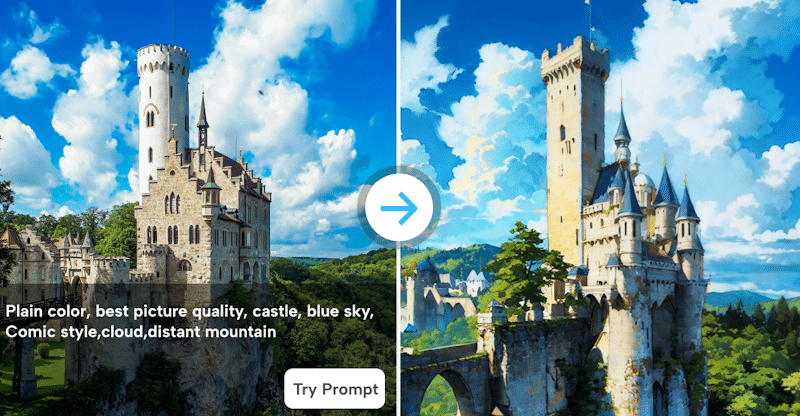
Modern tools handle two workflows. Text-to-image, first. Image-to-image, second. Text-to-image? Starts with an idea. Only an idea. A landscape, maybe. A character. A product scene. An illustration. Words only. Image-to-image? Different starting point. An existing picture. It adds extra information. About what, exactly? Composition. Appearance. Visual direction. More to work with.
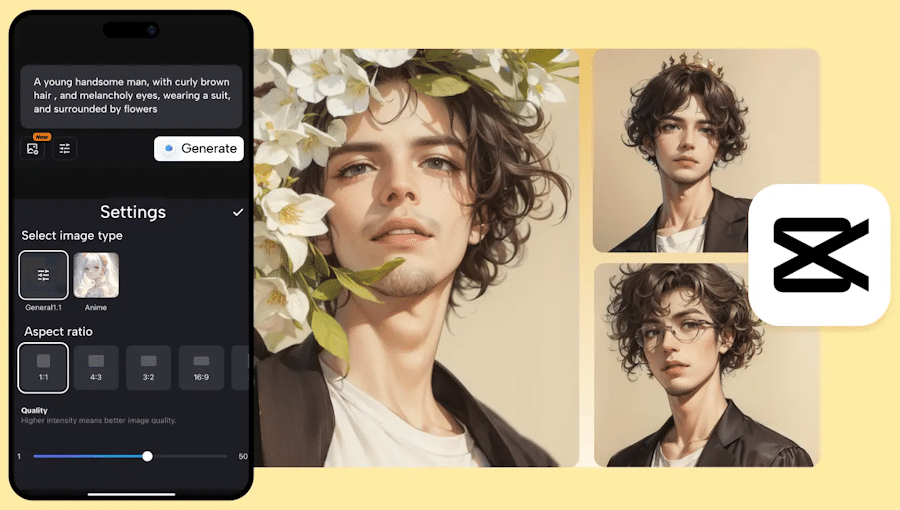
Does result quality vary? Yes. A lot, actually. Depends on the description. How clear is it? How specific? Short prompts? Fine for simple concepts. Totally fine. Complex ones, though? Specific instructions win. Better control. Over important visual details. Every time, usually.
Why Reference Images Matter
Is text always enough? No. Not always. Some visual ideas are complicated. Too complicated for words. That’s where reference images help. What do they show? Composition. Proportions. Colours. Objects. Overall atmosphere. Stuff that’s hard to describe. Precisely, anyway. A picture says it faster.
Where’s reference-based generation most useful? Modifying existing visuals. Not starting from scratch. No blank canvas. Some examples? Changing a background. Adjusting lighting. Exploring another artistic treatment. Developing several versions. Same concept, different takes. All easier this way.
Experimentation gets easier too. Much easier. How? No manual rebuilding. Not for every variation. Not anymore. Instead, test directions. Different ones. Compare results. Side by side. Then decide. Which concept’s worth more editing? Which one deserves it? Pick that one. Move forward.
Exploring GPT Image 2.5
What’s different? The focus. Moved, actually. Controlled editing is more important now. “Not just making new pictures. This is nicely illustrated in GPT Image 2.5. What does it back? Generating images from prompts. Reference led editing too. Visual changes were also a focus. Three things: What is the present documentation of CapCut? It describes a number of workflows. Textual prompts. Tries. Reference images Directions for editing. Quite a variety.
One big area? Text within images. Tricky stuff, historically. Traditional systems struggled. A lot. With what? Signs. Labels. Captions. Other written elements. Often garbled. Often wrong. Newer workflows aim higher. Greater control. When’s that needed? Readable text situations. Diagrams, for one. Posters. Interface concepts. Educational graphics. Anywhere words must be clear.
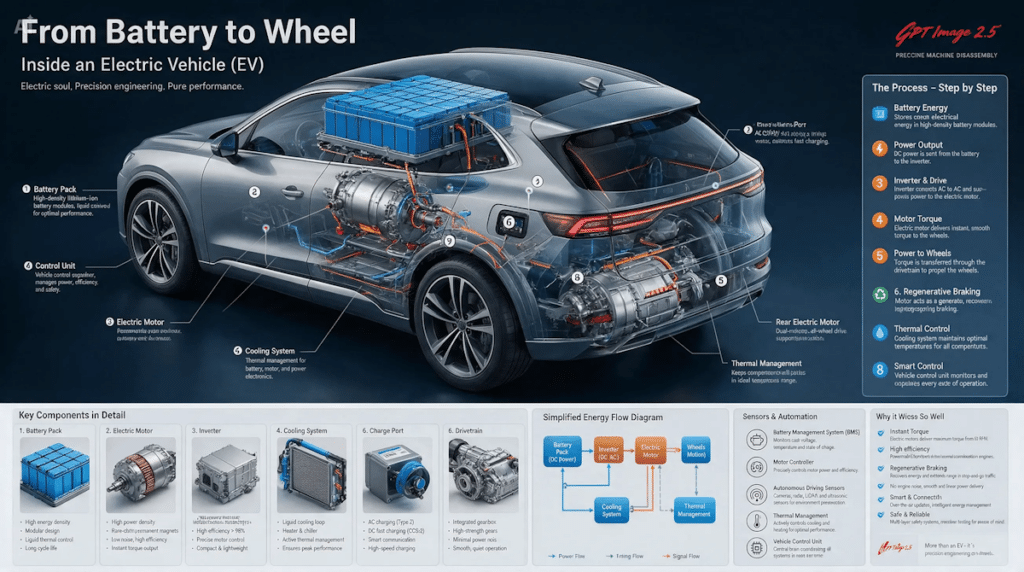
Focused changes help too. Big time. Why? Fewer unnecessary alterations. Think about it. Only one element needs fixing. Regenerate everything? No. Wasteful. Instead, describe that one part. Just what should change. The rest? Ideally preserved. Surrounding composition stays put. Mostly, anyway. That’s the goal.
Writing Better Prompts
Prompt writing matters. Seriously. Central to generative image work. What makes a useful prompt? Order, partly. Main subject first. Always. Then the setting. Composition next. Lighting. Mood. Visual style. Any other needed details. Step by step. Building it up.
Quick example. “A city at night.” Weak prompt. Very vague. Better version? A narrow urban street. Just after rainfall. Illuminated shop windows. Reflections on wet pavement. Soft atmospheric lighting. A cinematic composition. Big difference, right? Way more information. Way less guessing.
But careful. More words aren’t automatically better. Not at all. Extra instructions can hurt. Unnecessary ones, especially. They muddy things. Visual direction gets less clear. So what works better? Start with essentials. Core characteristics first. Just those. Then check the result. Then refine. Based on what came back. Adjust from there.
Practical Applications
Where’s AI imagery used? Lots of areas. Many, honestly. Social media creators, first. Illustrations. Thumbnails. Backgrounds. Visual concepts. No photographing every scene. None needed. Writers, next. Exploring characters. Exploring settings. Before the story’s finished. Educators too. Diagrams. Visual examples. Lesson support. Helpful stuff.
Businesses? Same story. Early design stages, mostly. Product teams explore. Different packaging environments. Lots of options. Designers test things. Layouts. Visual themes. All before final assets. Before anything’s locked in.
Another useful one? Storyboarding. Big one, actually. Picture a creator. Developing a video. What can they generate? Rough scenes. What do those show? Camera composition. Characters. Locations. Visual atmosphere. When? Before production starts. Planning, made visual. Much faster.
Editing Still Matters
Generating’s just one stage. Only one. Not the whole creative process. AI results need review. Careful review. Before publishing. Before professional use. Why? Small problems appear. Sneaky ones. Where? Faces. Hands. Object shapes. Shadows. Text. Repeated patterns. Background details. Easy to miss.
Workflows are combining things now. Creation plus editing. Together, increasingly. What does current CapCut information describe? Generating from text. Or from a reference. Then refining. How? Editing controls. Cropping. Adjustments. Filters. Sharpening. Other changes too. All in one place.
Why’s that combo useful? Practicality. Plain and simple. No jumping around. Not immediately, anyway. Between unrelated applications. Several of them. Less switching. Smoother process. Faster work.
Ethical and Legal Considerations
Questions come up too. Serious ones. Copyright. Consent. Privacy. Reference material use. Big topics. What should creators do? Understand the terms. The specific AI system’s terms. Know them. And avoid misuse. Someone else’s photograph? Careful. Protected creative work? Careful too. Don’t violate applicable rights. Simple rule. Important one.
Misleading content’s another worry. Check for it. Always. Why? Picture this. An artificial image. Presented as a real photograph. Of a real event. Or a real person. No context given. What happens? Viewers misunderstand. They think it’s real. Not good. Context matters. A lot.
The Future of Visual Creation
Where is this all going? Integrated processes Ones that are closely related.” Editorial Generation. Experimental creativity All linked. So, is AI replacing traditional design? Nope. Better framing there is. Another tool. That’s all. For what, precisely? Considering that. Speeding up early visual development. It’s quicker to start.
Best results? Need some more people. That is human intentionality. What’s most important? Particular objectives. Good questions. Extensive review. Hand refinement. Still all important. And when the models improve? The focus shifts. To what, exactly? What to build.
Deciding how it communicates. That notion. Not looking for fancy image editing software. Nothing doing just now. Fewer software headaches More thinking outside the box. “That’s where it’s headed.”