The way we watch TV has evolved far beyond traditional cable, with streaming becoming the go-to option for entertainment at home. A media streaming device makes it easy to access all your favorite streaming platforms in one place, including popular services like Netflix, Prime Video, and Disney+, without needing an expensive smart TV upgrade. These compact devices offer a seamless, user-friendly experience with features like voice controls, personalized recommendations, and quick app navigation. By adding a media streaming device to your setup, you can enjoy endless content on demand and turn any TV into a powerful entertainment hub. For a media streaming device that can elevate your entertainment experience, check out the Amazon Fire TV Stick 4K Max (2nd Gen).
The Amazon Fire TV Stick 4K Max (2nd Gen) is a next-generation media streaming device that lets you watch your favorite TV shows and movies from top services like Netflix, Prime Video, Disney+, HBO Max, and more, plus listen to millions of songs through services like Amazon Music and Spotify. It delivers up to 4K UHD resolution with support for Dolby Vision, HDR10+, and Dolby Atmos audio. It also features Fire TV Ambient Experience, which lets you display over 2,000 pieces of museum-quality art and photography. The device integrates a lighting-fast 2.0GHz quad-core processor, 16GB of storage, and free cloud storage for Amazon-purchased content.
It features a HDMI 2.1 output with ARC input support and a micro USB port. The device also comes with the Alexa Voice Remote Enhanced, which offers easy navigation and supports voice controls. It boasts Bluetooth 5.2 and Wi-Fi 6E tri-band connectivity. It also offers access to the Alexa+ AI Assistant with Prime membership, access to free games through Amazon Luna, and the ability to stream Xbox games with Xbox Game Pass.
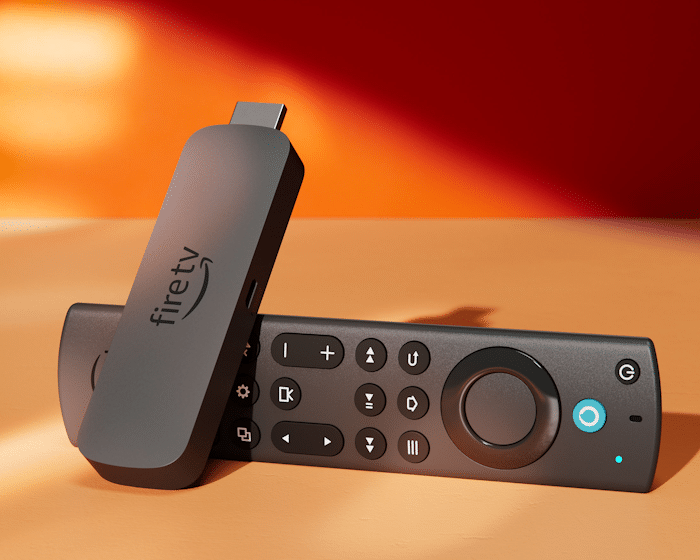
Amazon Fire TV Stick 4K Max (2nd Gen)
Designed to enhance the way you watch TV, this media streaming device delivers an immersive cinematic experience right at home for all your viewing needs.
Here’s our comprehensive review of the Amazon Fire TV Stick 4K Max (2nd Gen), where we talk more about all its standout features.
DESIGN
Starting with the device’s size, this media streaming device has a compact footprint. The device measures just 4.25 inches long by 1.18 inches wide by 0.55 inches thick (108 x 30 x 14 mm). It’s also rather lightweight, weighing only 1.53 oz. (43.5 g).
The Amazon Fire TV Stick 4K Max (2nd Gen) also sports a minimalist design that gives it a discreet look. Amazon updated the device’s aesthetic, going from a rectangular shape (1st-gen model) to a sleeker form factor with curved edges (2nd-gen model). Its included remote controller sports the same modern look as the device, with both coming in a Black Matte color.
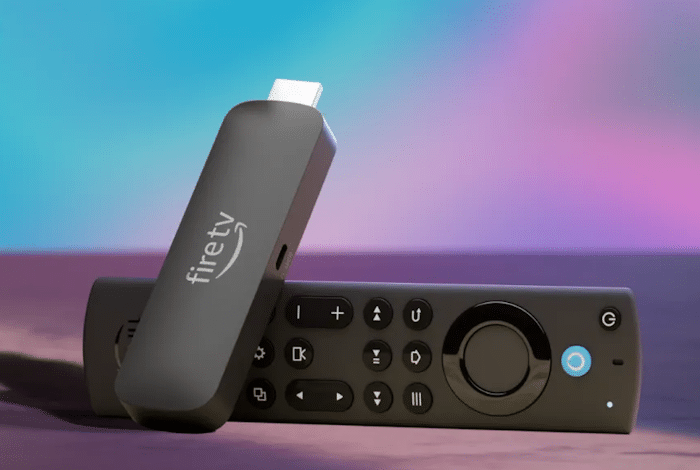
Minimalist design
HARDWARE SPECS
Moving on to the device’s specifications and functionalities. When it comes to its picture quality, know the Fire TV Stick 4K Max (2nd Gen) can stream high-res content, supporting up to 4K Ultra HD resolution. Whether you’re watching TV shows, movies, or sports events, the device’s picture quality is top-notch.
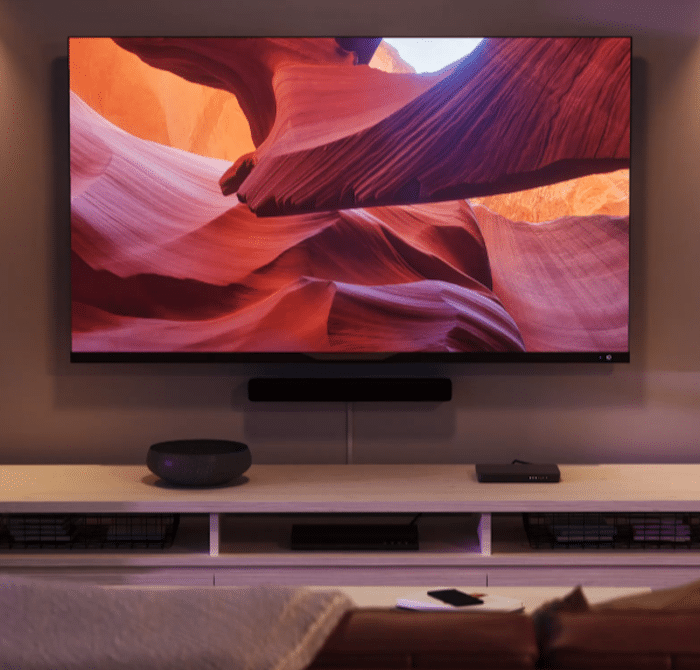
Delivers up to 4K Ultra HD resolution / Features support for Dolby Vision, HDR 10+, and Dolby Atmos audio
In addition, it also features support for Dolby Vision and HDR 10+, which provide vivid color and enhanced brightness, allowing for a truly immersive cinematic experience.
What’s more is that the device also features Dolby Atmos audio support. This enables you to get rich, immersive sound when having your TV connected to compatible soundbars home audio systems.
As for its hardware specs, the Amazon Fire TV Stick 4K Max (2nd Gen) integrates a 2.0GHz quad-core processor that’s even more powerful than that of the 1st-gen model. Its 2.0GHz processor provides smooth performance, allowing for lightning-fast app starts and fluid navigation.
The device also boasts 16GB of internal storage, which is double that of the Fire TV Stick 4K Plus. Thanks to that, you have lots of storage space for a wide range of apps, games and downloads.
Best of all, the device also includes free cloud storage for digital content purchased from Amazon.
SET UP / INSTALLATION
Regarding its installation, the Fire TV Stick 4K Max offers a simple, plug-and-play setup.
The device features a HDMI 2.1 output with ARC input support. Integrated at the center there’s a micro USB port for powering it via its power cable and power adapter.
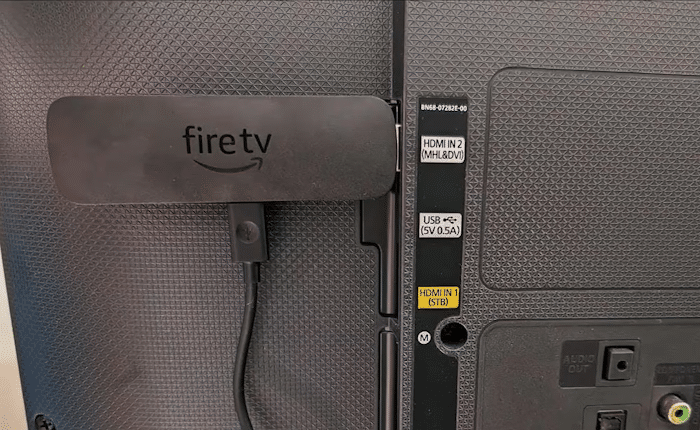
To set it up, just plug the device’s HDMI connector into an available HDMI port on your TV. After that, plug its power adapter onto an outlet.
The device also comes with an HDMI extender in case you need some extra length to plug it in.
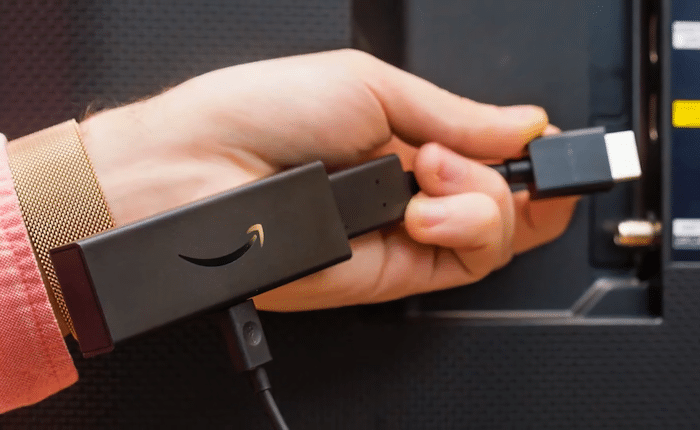
Once the device is plugged in, insert the batteries in its Alexa Voice remote and turn on your TV. Remember to switch your TV to the correct HDMI input that the device is plugged in to.
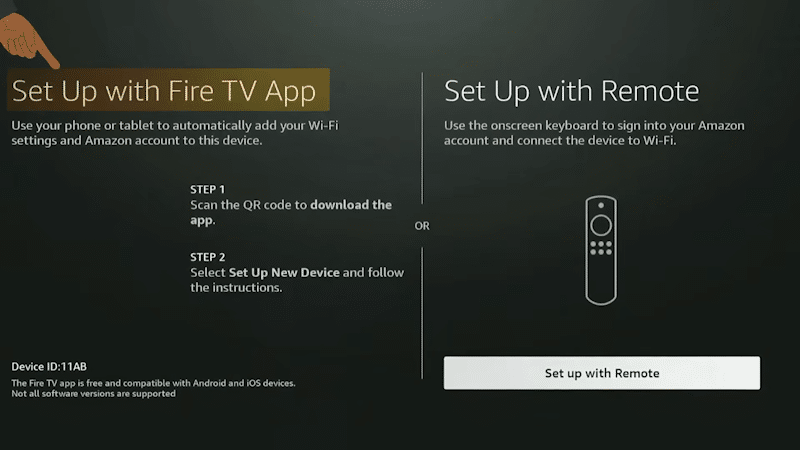
Finally, follow the on-screen prompts to connect to your home’s Wi-Fi network and login to your Amazon account. Once that’s done, you’re good to go.
USER-INTERFACE
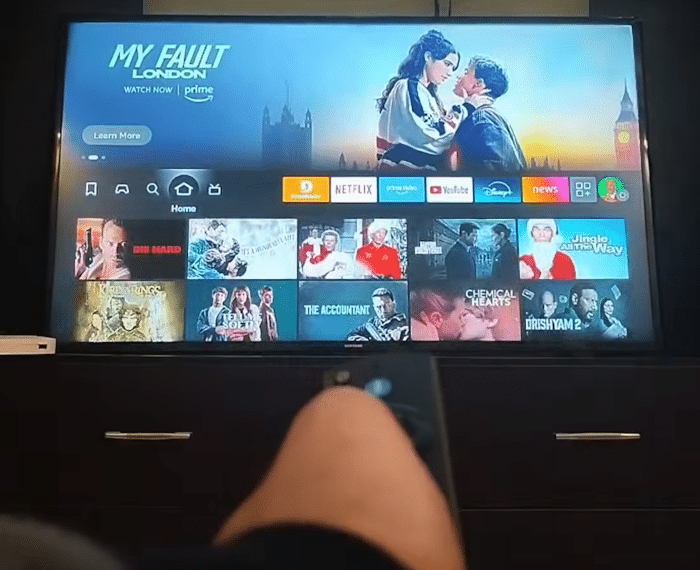
The main menu on the Fire TV Stick 4K Max Fire (2nd Gen) is very user-friendly. You can browse through different categories such as Live TV, Movies, TV Shows and Apps.
You can also use the Search function to find exactly what you’re looking for.
Plus, there’s a ton of free content available, including movies, TV shows and sports.
User-friendly interface
SUPPORTED SERVICES
The Fire TV Stick 4K Max (2nd Gen) enables you to watch your favorite TV shows and movies from top streaming services. This includes Netflix, Prime Video, Disney+, HBO Max, Apple TV+, Peacock, STARZ, Paramount+, and others.
You can also stream live TV, news, and sports events, and even watch for free with Pluto TV, Prime Video, YouTube, and more.
Additionally, you can also play millions of songs through services like Amazon Music and Spotify. Note this may require a subscription.
All your favorite subscription services are easily accessible in one place.
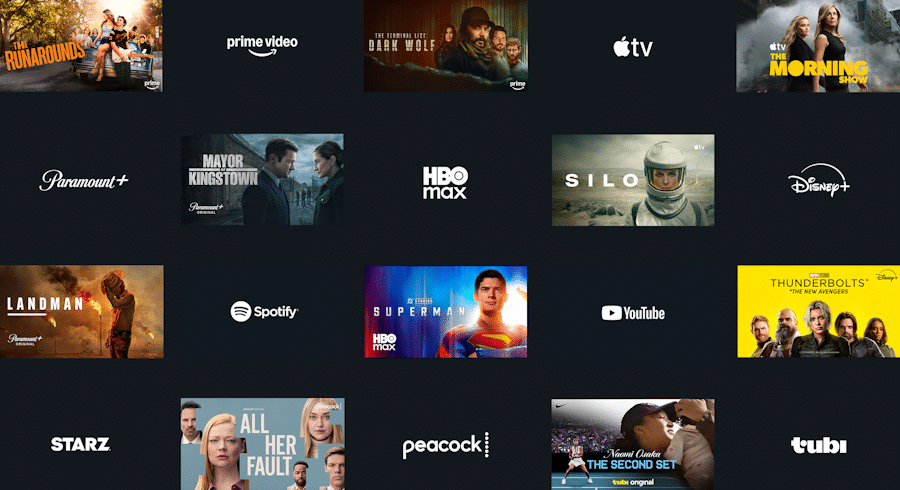
Works with most top streaming services
THE REMOTE CONTROL
The device also comes with the Alexa Voice Remote Enhanced for controlling your TV and connected smart home devices.
Its Alexa Voice remote can be used to control a wide range of compatible IR-enabled devices. It works with IR-enabled TVs, soundbars, and A/V receivers with dedicated power, volume, and mute buttons.
It also features a recents button and dedicated channel buttons to surf live TV. You can also get to your favorite shows and movies faster with preset app shortcuts.
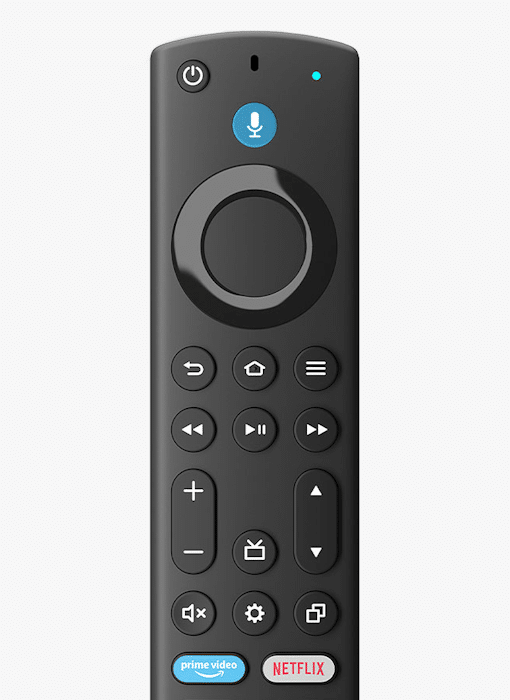
The device’s Alexa Voice Remote Enhanced
The remote also supports voice controls for asking Alexa questions about content or even for controlling compatible smart home devices right from your TV.
You can press and ask Alexa to do things like show Live View Picture-in-Picture camera feeds without interrupting your show, check the weather, order a pizza, and stream music.
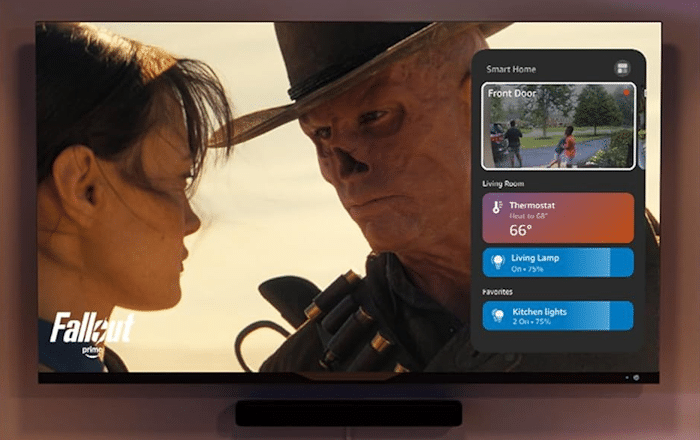
Supports voice controls
The remote is powered by two AAA batteries, which come included in the box.
CONNECTIVITY
As for its wireless connectivity methods, the device features Bluetooth 5.2 BLE connectivity. You can pair it with compatible Bluetooth speakers, headphones, video game controllers, and more.
It also features Wi-Fi 6E tri-band connectivity, supporting 2.4GHz, 5GHz, and 6GHz networks (802.11 a/b/g/n/ac/ax).
OTHER NOTABLE FUNCTIONALITIES
Fire TV Ambient Experience
It also features Fire TV Ambient Experience, which lets you turn your TV into a display for beautiful art.
This can be enabled by tapping the Alexa button on the remote and selecting Ambient Experience from the Shortcuts Panel. You can choose from over 2,000 pieces of museum-quality art and photography.
Alternatively, you can use AI Art to design your own masterpiece. Simply ask Alexa to generate an original image, then decide on a unique painting style.

Fire TV Ambient Experience
Alexa+ AI Assistant
The Fire TV Stick 4K Max (2nd Gen) also offers full access to the Alexa+ AI Assistant with a Prime membership. This is Amazon’s smartest AI assistant yet, providing personalized recommendations, faster discovery, quick answers about what you’re watching, and even smart home management.
Amazon Luna & Xbox Game Pass
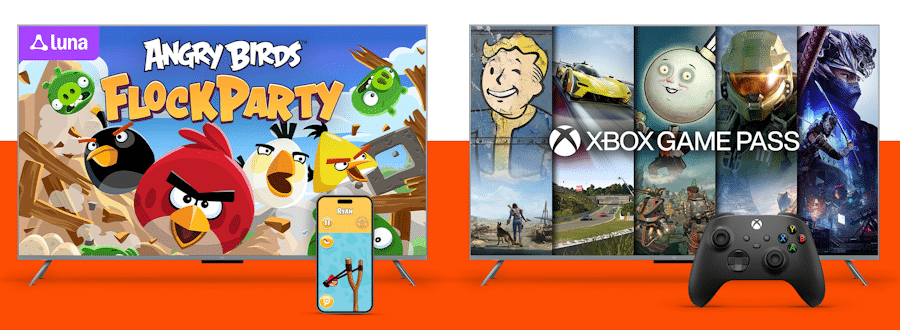
You also get access to a rotating selection of popular games through Amazon Luna (Amazon’s cloud gaming service). Via Amazon Luna, prime members can play over 25 party games while using their phones as controllers. Keep in mind this requires an active Amazon Luna subscription.
Lastly, with an Xbox Game Pass, you can also stream hundreds of high-quality Xbox games directly onto your Fire TV Stick device.
WHAT’S IN THE BOX?
Inside their package, users will find: their Fire TV Stick 4K Max (2nd Gen) streaming device, its power cable and power adapter, an HDMI extender, the Alexa Voice Remote Enhanced, two AAA batteries, and a quick start guide.
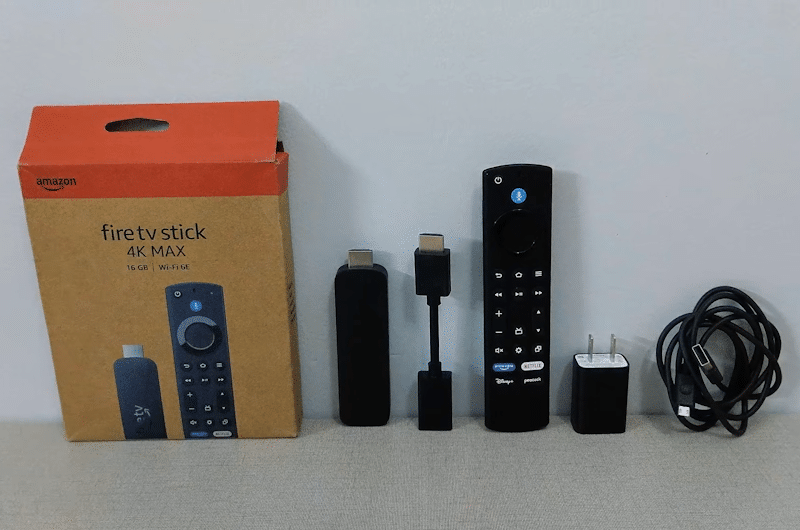
Box contents
PRICING & AVAILABILITY
If you’re interested in purchasing it, know each unit is currently discounted from its standard price of $59.99 down to $34.99.
You can buy it on Amazon via the link below.


Last update on 2026-10-25 / Affiliate links / Images from Amazon Product Advertising API