The real problem it solves
Noise follows you everywhere. Trains, offices, gyms, planes, open-plan homes. Most earbuds promise noise cancellation, but many only dull the edges. The AirPods Pro 3 begin with that frustration. You want silence when you need focus and awareness when you don’t. You also want earbuds that switch between those states instantly without fiddling with menus or breaking immersion. Apple designed AirPods Pro to manage sound rather than just block it. They reduce chaos without isolating you from the world. For people who live inside Apple devices and move through noisy environments daily, the real problem isn’t sound quality alone. It’s control, speed, and trust that the tech will respond exactly when you need it.
Unboxing & first touch
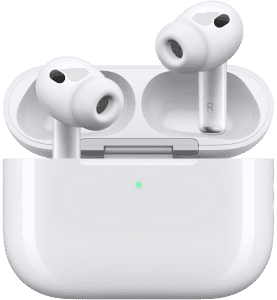
Apple keeps the unboxing experience minimal and deliberate. Inside the box, you find the AirPods Pro earbuds, the charging case, four sizes of silicone ear tips, and a USB-C charging cable. The packaging feels compact and precise. The earbuds feel light but dense, with no flex or cheap seams. The charging case clicks shut with a reassuring snap. The silicone tips feel soft and slightly grippy, which helps with seal and comfort. Setup starts the moment you open the case near an iPhone. A prompt appears instantly. No apps. No pairing screens. First touch confirms Apple’s obsession with frictionless entry.
Design & interface
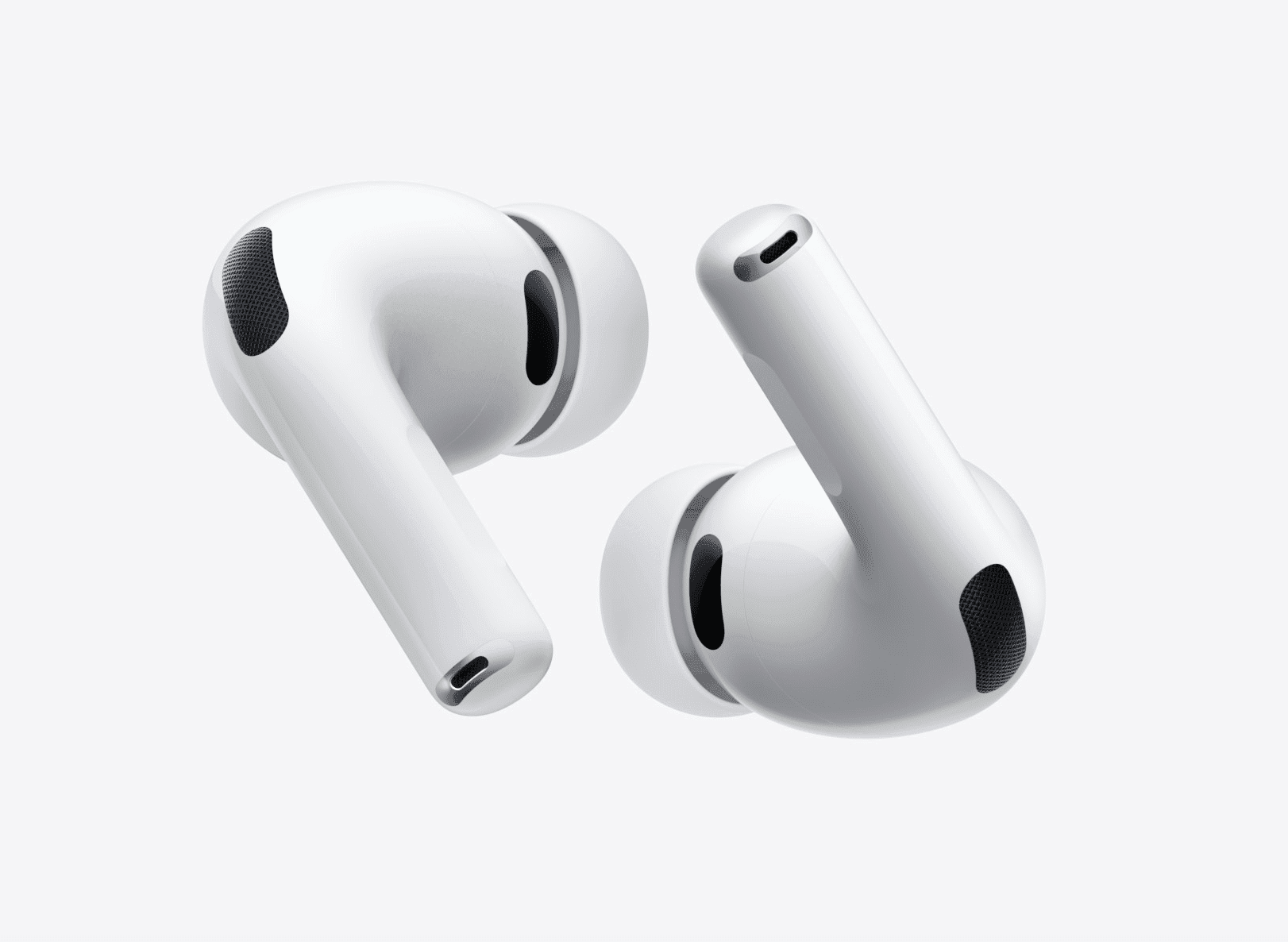
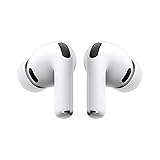
AirPods Pro 3 keep the familiar stem design, but every surface has a purpose. The stems house force sensors instead of buttons. A light squeeze controls playback, calls, and noise modes. You never need to tap awkwardly or guess input timing. The earbuds sit securely without deep pressure in the ear canal. Venting reduces ear fatigue during long sessions. The case stays pocket-friendly and resists scratches better than glossy competitors. LED indicators remain subtle but readable. The design fades into daily life, which is exactly the goal.

Last update on 2026-10-25 / Affiliate links / Images from Amazon Product Advertising API
Connectivity & pairing
Pairing stays instant within the Apple ecosystem. Open the case once, and every signed-in device recognizes the AirPods Pro 3 automatically. Switching between iPhone, iPad, and Mac happens seamlessly. Bluetooth stability stays excellent, even in crowded wireless environments. Dropouts remain rare. Latency stays low enough for video and calls without lip-sync issues. Android pairing works, but you lose advanced features. These AirPods Pro 3 make one thing clear: the experience shines brightest inside Apple’s ecosystem.
Hardware deep dive
Apple uses a custom-designed driver and high dynamic range amplifier to deliver clean, controlled sound. Bass hits with precision rather than boom. Mids stay natural for voices and podcasts. Highs remain smooth without sharp edges. The earbuds include inward-facing microphones that analyze what you hear and adjust sound in real time. Outward-facing microphones handle environmental noise. This hardware combo enables active noise cancellation that adapts constantly rather than locking into a static profile. The result feels effortless rather than aggressive.
Software, sensors & noise control
Noise cancellation stands as the star feature. AirPods Pro 3 actively cancel low-frequency noise like engines and HVAC systems while reducing mid-range distractions. Transparency mode feels natural, not robotic. Adaptive Transparency lowers sudden loud sounds like sirens or tools without muting the world. Spatial Audio with head tracking adds dimension to movies and supported music tracks. Sensors detect when you remove an earbud and pause playback instantly. Failure modes remain rare. The system reacts faster than you think, which builds trust over time.
Battery, charging & power behavior
AirPods Pro 3 deliver around six hours of listening with noise cancellation active. The charging case extends total use to roughly thirty hours. Charging happens via USB-C, MagSafe, Qi wireless chargers, or Apple Watch chargers. Fast charging gives you about an hour of use in just a few minutes. Power management feels efficient and predictable. You rarely think about battery levels because top-ups happen quickly during short breaks.
The mobile app experience
There is no separate app. Control lives inside iOS settings. You can adjust noise modes, customize stem controls, test ear tip fit, and view battery levels instantly. Find My integration helps locate misplaced earbuds or the case. Privacy remains local-first, with on-device processing for many features. The lack of a standalone app feels intentional. Apple keeps control close to the system rather than layered on top. This simplicity works in favor of long-term reliability.
Alternatives compared
Sony WF-1000XM5 offers excellent noise cancellation and stronger bass, but feels bulkier and relies on a heavier app. Bose QuietComfort Ultra Earbuds cancel noise aggressively but lack a compact design. Samsung Galaxy Buds2 Pro work well for Android users but fall short outside Samsung devices. AirPods Pro don’t always win on raw specs, but they dominate on integration, responsiveness, and balance. The trade-off favors experience over customization.
Who it’s perfect for
AirPods Pro 3 fit commuters, travelers, remote workers, and Apple users who value instant control. They work best for people who move between quiet and noisy environments throughout the day. If you live inside iOS, these earbuds feel effortless.
Who should skip it
Skip these if you use Android as your primary device. Skip them if you want extreme bass emphasis or deep EQ customization. Budget-focused buyers will find cheaper options with acceptable noise cancellation.
Final decision
Buy it if you want the best balance of noise control, comfort, and Apple integration.
Skip it if you don’t use Apple devices or want heavy sound tuning control.
Only if you value seamless daily use more than spec-sheet dominance.
The AirPods Pro 3 end with clarity. These earbuds don’t chase extremes. They refine the experience people actually live with every day. That restraint is exactly why they remain the benchmark.
Affiliate Disclosure
This article may contain affiliate links. If you purchase through them, GadgetGram may earn a small commission at no additional cost to you.