Grout Grades Handwritten Homework With AI—Without Uploading Student Papers to the Cloud
AI-assisted grading can save teachers time, but it introduces an uncomfortable question: Where are those student papers going?
Grout takes an interesting approach. Its new answer-sheet evaluation feature uses AI vision models running locally on the teacher’s own computer to read and score handwritten work. That means a teacher can use AI-assisted grading without uploading the actual student papers to a cloud grading service.
Scan It—or Just Take a Photo
Teachers can scan a stack of handwritten answer sheets or photograph them with a phone.
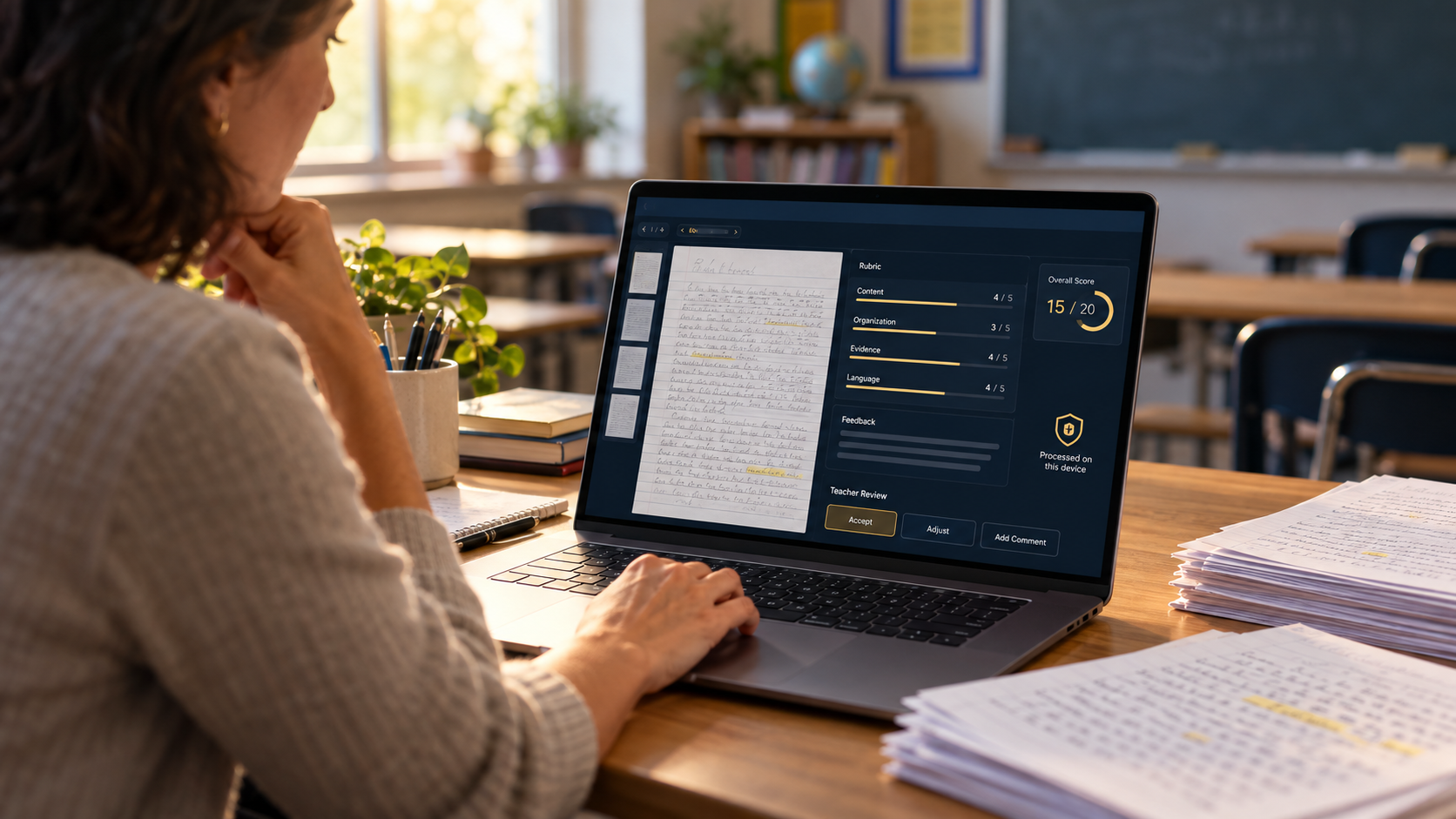
Grout reads the handwritten responses and evaluates each answer against an answer key and per-question rubric supplied by the teacher. The software can also match papers to students using names and roll numbers, flagging uncertain matches rather than silently assigning them.
The resulting workflow is straightforward: create the assessment, add the students, enter the answer key and rubric, import the papers, let the AI make its first pass, and then review the results.
And that last step matters.
The Teacher Still Controls the Grade
Grout doesn’t require teachers to accept its AI-generated score.
Every question is presented for review, and the teacher can override the score and add a comment. The final mark is the one the teacher approves.
Grout itself acknowledges that accuracy depends on handwriting quality, image quality and the specificity of the teacher’s rubric. Its recommendation is essentially to treat AI grading as a first pass rather than the final authority.
That’s a sensible approach for classroom AI.
The Interesting Part Is What Doesn’t Leave the Computer
Grout’s biggest differentiator may be privacy rather than grading.
The company’s privacy policy says scanned answer sheets and the marks generated from them stay on the user’s device. Grout says it doesn’t receive a copy of that student work or use it for model training.
That’s possible because Grout downloads AI models and runs them locally on Windows and macOS computers rather than sending each paper to a remote AI server. Once the appropriate models have been downloaded, the local tools can even operate without an internet connection.
There is an important caveat. Grout also offers an optional Nexus AI cloud service. Content submitted through that feature does leave the computer and is sent for cloud processing. Teachers handling sensitive student work would therefore need to make sure they’re using the local models rather than optional cloud features.
Grout also explicitly states that it does not hold COPPA, FERPA or SOC 2 certification, so schools should still evaluate the software against their own technology and student-data requirements.
GadgetGram Takeaway
Grout presents an intriguing alternative to cloud-based AI grading.
Students can keep completing assignments the old-fashioned way—with pen and paper—while teachers get an AI assistant capable of reading the handwriting, comparing responses with a rubric and preparing an initial score.
But the most interesting feature isn’t what the AI does.
It’s where the AI does it: on the teacher’s own computer.
For schools interested in AI-assisted grading but uncomfortable sending student papers to another company’s servers, that could make Grout worth a closer look.