Kingston XS2000 Review
Portable SSDs solve a simple but growing problem. Modern workflows create massive files, but most laptops and tablets still ship with limited storage. The Kingston XS2000 targets that exact issue with a tiny high-speed external SSD built for creators, professionals, gamers, and mobile users who move large files every day.
Kingston positions the XS2000 as a premium compact SSD that balances portability, durability, and serious transfer speeds. It sits in the same category as drives like the Samsung T9, SanDisk Extreme Portable SSD, and Crucial X10 Pro. Unlike many competitors, though, the Kingston XS2000 focuses heavily on ultra-small design without sacrificing performance. This review breaks down where it excels, where compromises appear, and who should actually buy it.


Last update on 2026-10-25 / Affiliate links / Images from Amazon Product Advertising API
Why the Kingston XS2000 Still Matters
The portable SSD market changes quickly. USB4 drives now dominate premium headlines, and Thunderbolt storage continues to push faster benchmarks. Yet the Kingston XS2000 still holds a strong position because of its balance.
Most people do not need 3,500MB/s transfer rates on the move. They need reliable storage that fits in a pocket, survives travel, and moves large files quickly enough to avoid slowing down work. That is exactly where the Kingston XS2000 stands out.
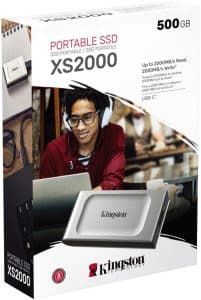
Kingston built the drive around USB 3.2 Gen 2×2 technology with advertised transfer speeds up to 2,000MB/s. In practice, that level of performance already feels dramatically faster than traditional portable hard drives and older SATA-based SSDs.
That matters because many creators still waste time waiting for media transfers. A photographer importing RAW files from a wedding shoot or a video editor moving 4K footage between systems notices the difference immediately.
The Kingston XS2000 also targets a broader audience than many premium SSDs. It works with PCs, Android devices, gaming consoles, and USB-C mobile workflows. That flexibility makes it attractive for hybrid work environments where files constantly move between devices.

Design and Build Quality
The first thing most people notice about the Kingston XS2000 is its size.
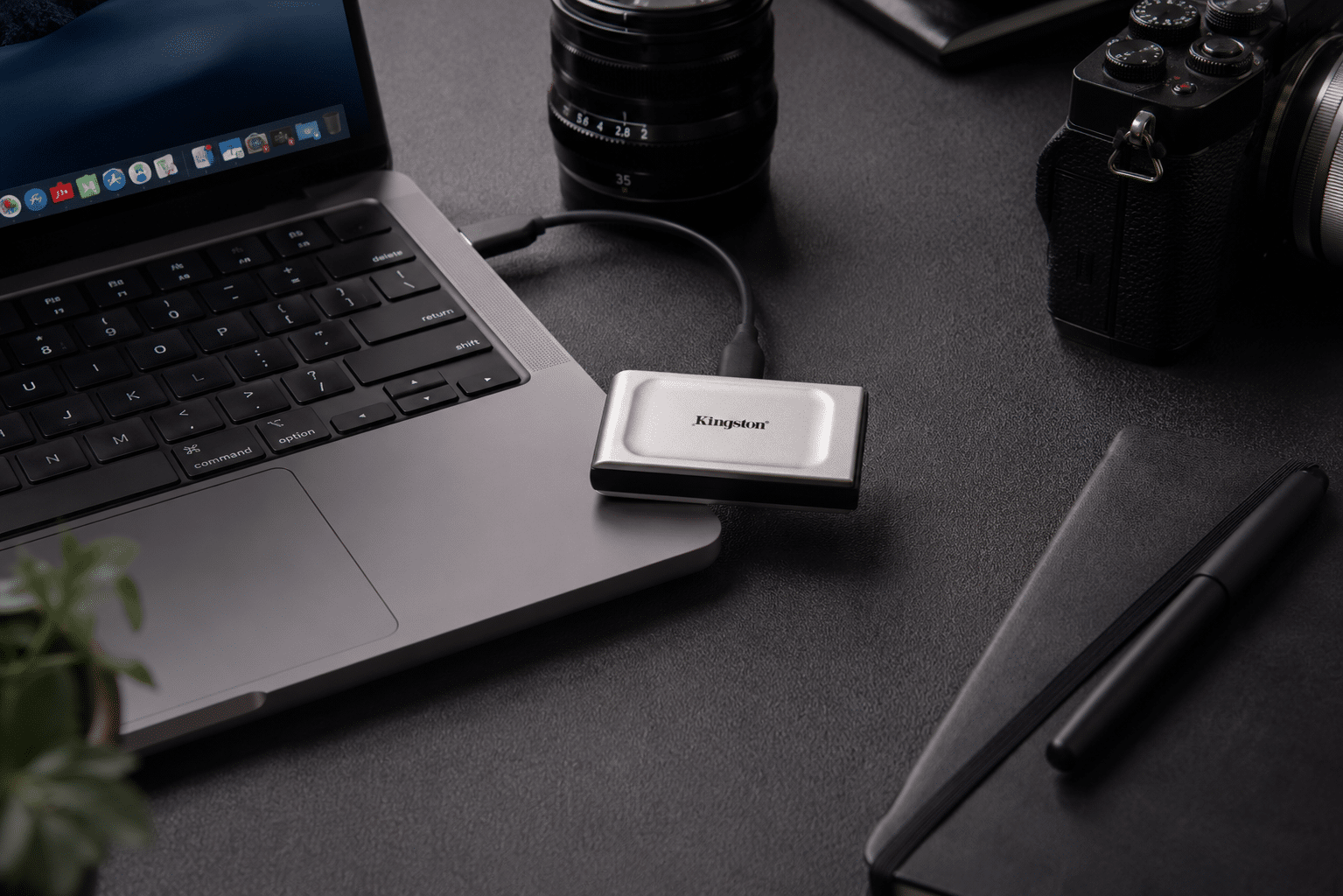
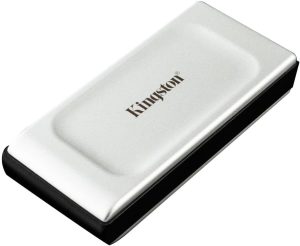
This drive feels tiny. Kingston designed it with an almost oversized USB flash drive footprint rather than the larger slab-style design common in external SSDs. The dimensions measure roughly 69.5mm by 32.6mm by 13.5mm, and the drive weighs under 30 grams.
In practice, the Kingston XS2000 disappears into a pocket, backpack pouch, or camera bag organizer. That portability changes how often people actually carry external storage.
Many rugged SSDs offer great speed but still feel bulky during travel. The XS2000 feels effortless to bring everywhere.
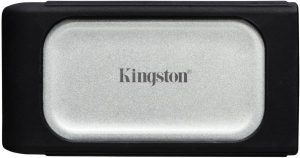
The design itself combines metal and plastic construction with a removable rubber sleeve for added protection. Kingston also includes IP55 resistance against dust and water when the sleeve stays attached.
Here is where the design gets interesting.
Kingston avoided the aggressive “gaming SSD” look that dominates parts of the storage market. The XS2000 instead feels understated and professional. That fits the GadgetGram audience perfectly because it looks equally comfortable beside a MacBook Pro, a ThinkPad, or a creator workstation.
The removable sleeve also adds useful grip. Small SSDs can slide around easily on smooth desks. The rubberized texture helps prevent accidental drops during fast-paced work sessions.
That said, the compact size creates one small trade-off. Tiny drives are easier to misplace. Users carrying multiple portable devices may want a dedicated storage pouch or organizer.
Kingston XS2000 Performance in Real Use
Performance defines whether a portable SSD feels premium or frustrating.
The Kingston XS2000 advertises read and write speeds up to 2,000MB/s through USB 3.2 Gen 2×2 connectivity. Under ideal conditions with compatible hardware, the drive can approach those numbers.
Real-world performance depends heavily on the host device.
That detail matters more than many buyers realize.
USB 3.2 Gen 2×2 support still remains inconsistent across laptops and desktops. Many systems cap performance at 10Gbps rather than the full 20Gbps standard required to unlock the XS2000’s maximum speeds. Apple devices especially do not support USB 3.2 Gen 2×2 natively.
As a result, many Mac users will see speeds closer to 1,000MB/s instead of the advertised 2,000MB/s.
Even then, performance remains strong.
Moving a 50GB video project, backing up Lightroom catalogs, or transferring large game libraries still feels fast and responsive. The drive also handles sustained transfers better than many smaller SSDs that aggressively throttle under heat.
Where the Kingston XS2000 performs especially well is workflow consistency.
Large media transfers complete quickly without frequent disconnects or instability. That reliability matters more than benchmark screenshots for professionals handling client projects.
The drive also performs well for portable editing workflows. Users working directly from external storage in Premiere Pro, DaVinci Resolve, or Final Cut Pro can comfortably edit compressed 4K footage without major slowdowns.
For creators traveling between studios, offices, and client locations, that flexibility becomes extremely valuable.
USB 3.2 Gen 2×2 Explained
The Kingston XS2000 relies heavily on USB 3.2 Gen 2×2 technology, and many buyers still find USB naming confusing.
USB 3.2 Gen 2×2 supports theoretical bandwidth up to 20Gbps. That enables SSD transfer speeds around 2,000MB/s under ideal conditions.
The challenge is compatibility.
Not every USB-C port supports Gen 2×2. Some systems support only 10Gbps USB connections. Others prioritize Thunderbolt or USB4 standards instead.
This creates an important buying consideration.
Windows desktop users with newer motherboards often benefit most from the Kingston XS2000 because many modern boards support 20Gbps USB ports directly. Mac users still receive excellent speeds, but not the full advertised performance ceiling.
That does not make the drive a poor choice for Apple users. It simply changes expectations.
For many people, stable 1,000MB/s real-world performance already feels extremely fast for mobile storage.
Mobile, Gaming, and Creator Workflows
The Kingston XS2000 fits modern hybrid workflows extremely well.
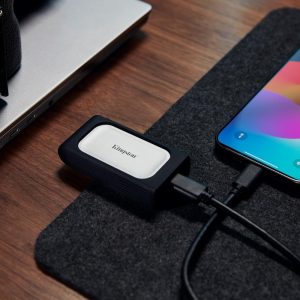
Creators increasingly work across laptops, tablets, smartphones, and consoles. Kingston designed the XS2000 with broad compatibility in mind, including Android devices, iPhones with USB-C support, and PlayStation systems.
For mobile creators, this opens useful possibilities.
A videographer can shoot footage on a phone, transfer files directly to the SSD, then continue editing on a laptop without relying on cloud uploads. That workflow saves time while avoiding bandwidth limitations during travel.
The drive also works well for consultants and hybrid workers managing large presentations, offline project files, and secure backups between offices.
Gamers benefit too.
Modern game installs regularly exceed 100GB. Portable SSDs now make more sense than ever for transporting game libraries between systems or expanding console storage. Kingston specifically highlights PS5 compatibility for the XS2000.
At the same time, the drive’s compact size makes it especially attractive for travel setups and LAN events where portability matters.
Students also represent a surprisingly strong use case.
Media students, architecture majors, engineering students, and design programs all generate large files that quickly overwhelm laptop storage. The Kingston XS2000 provides a fast external workspace without adding significant weight to a backpack.

Durability, Thermals, and Everyday Reliability
Portable drives live hard lives.
They bounce around backpacks, travel through airports, move between desks, and survive coffee shop work sessions. Durability matters just as much as raw speed.
The Kingston XS2000 performs well here.
The included sleeve adds impact protection while helping the drive achieve IP55 dust and water resistance. Kingston also rates the drive for drop protection up to 1.8 meters with the sleeve attached.
Thermals represent a more nuanced conversation.
Like many compact SSDs, the XS2000 can become warm during sustained large transfers. Smaller chassis designs naturally trap heat more quickly than larger external enclosures.
In practice, most users will never notice major thermal issues during typical workloads. Extremely heavy sustained transfers, though, may trigger performance drops as the controller manages heat.
That trade-off exists across much of the compact SSD market.
The good news is that Kingston generally maintains stable reliability under real-world conditions. Reviews consistently highlight dependable operation without frequent crashes or disconnects.
Kingston also backs the drive with a five-year warranty. That coverage adds confidence for professionals storing important work files.
Kingston XS2000 vs the Competition
The Kingston XS2000 competes in a crowded market, but it still carves out a distinct identity.
The Samsung T9 offers stronger peak sustained performance and better thermal management for heavy professional workloads. It also supports broader compatibility with newer standards. On the other hand, the T9 feels larger and more expensive.
The SanDisk Extreme Portable SSD focuses more heavily on rugged outdoor use. Travelers and field photographers may prefer its larger protective shell. However, the Kingston XS2000 wins easily on compact portability.
The Crucial X10 Pro delivers strong value and excellent speeds while supporting modern workflows efficiently. Yet the XS2000 remains noticeably smaller and easier to carry daily.
TechRadar recently described the Kingston XS2000 as one of the smallest high-speed portable SSDs available. That distinction still matters because portability often determines whether users actually carry external storage consistently.
For buyers prioritizing maximum future-proofing, USB4 drives now offer stronger long-term value. For buyers prioritizing portability and strong current-generation performance, the Kingston XS2000 remains extremely compelling.
Things to Consider Before Buying
The Kingston XS2000 succeeds in most areas, but buyers should understand several important considerations.
First, host compatibility matters enormously.
Without USB 3.2 Gen 2×2 support, users will not see the full advertised 2,000MB/s speeds. Buyers should verify their laptop or desktop specifications before purchasing.
Second, the tiny design improves portability but can increase heat under extended workloads. Heavy editors transferring multi-terabyte projects daily may prefer a larger SSD with stronger cooling.
Pricing also fluctuates significantly depending on capacity and retailer. The 1TB and 2TB versions often provide the best balance between value and usable storage.
Finally, users seeking cutting-edge USB4 or Thunderbolt performance may want newer-generation alternatives instead.
That said, many people simply need a fast, reliable, ultra-portable SSD that works across multiple devices. The Kingston XS2000 still handles that role exceptionally well.
Final Verdict
The Kingston XS2000 succeeds because it focuses on the right priorities.
It combines genuinely compact portability with fast real-world SSD performance, strong durability, and broad USB-C compatibility. For creators, hybrid workers, students, and travelers, it solves an increasingly common storage problem without adding bulk or complexity.
The drive does require some understanding of USB compatibility to unlock its full performance potential. Buyers expecting 2,000MB/s speeds on every system may feel disappointed without Gen 2×2 support.
Still, even at reduced speeds, the Kingston XS2000 remains impressively fast for everyday workflows.
Here is where it stands out most.
This drive feels designed for real mobility rather than spec-sheet bragging rights. It slips into any bag, handles demanding file transfers confidently, and works across modern creator ecosystems with minimal friction.
For users who value portability as much as performance, the Kingston XS2000 remains one of the smartest compact SSD options available today.
Affiliate Disclosure
GadgetGram may earn a small commission if you purchase through links on this page. This helps support our independent testing and editorial work. We only recommend products we’ve researched or tested ourselves, and our opinions remain unbiased regardless of affiliate relationships.