The modern classroom often looks like a bustling coffee shop or a library huddle and here the tools we carry define our connection style. Students are seen with laptops, but its small screens feel like a silo, keeping their ideas locked in a cramped view. That’s why pupils are investing in a portable monitor, a slim and light extension of your digital world. Does the single screen also bother your group projects? Treat your academic life with the Mobile Pixels portable monitor; it’s not just another gadget, but a bridge that changes that isolation into a shared experience.
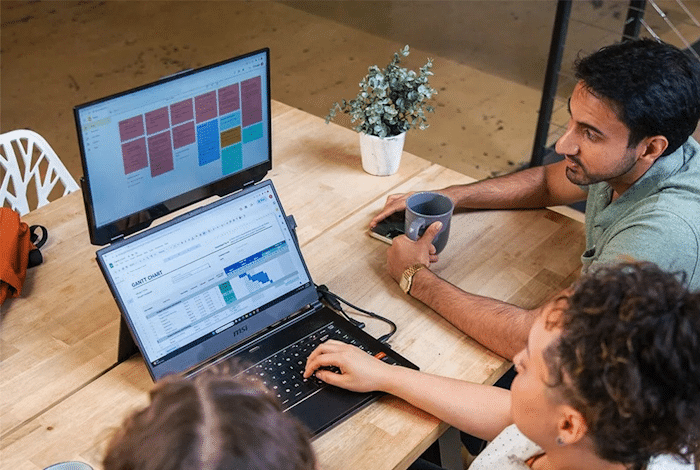
Mobile Pixels Portable Monitor
Its The New Social Hub
You and your group of five lean in and squint at a single laptop to see a slide deck, which is very uncomfortable and reduces efficiency. But a portable offers you a new social hub, making your group projects easier.
- Democratic Viewing – It extends your regular display, creating a “common area” where everyone can see the data without spoiling each other’s personal space.
- Dual-Facing Layouts – The best part is that many monitors let you flip the screen to your teammate sitting across. Both can discuss a design or even edit paragraphs without losing eye contact.
- Touchscreen Capabilities – The screen’s touch capabilities act like a digital whiteboard, allowing multiple students to brainstorm and give ideas.
Presents with Presence
When you are juggling between your slides and notes, presenting a draft to your professor can get difficult. So a portable monitor allows you to present with presence and say “Watch This”:
You Get “Presenter View” Benefit
Use your primary screen to open your private notes, research and timers, while the portable monitor can be used to display the cleaner version of your project to your group.
Offers Plug and Present Simplicity
Many modern monitors use a single USB-C cable for video and power. This allows you to set a professional presentation on any library table in seconds. There is no need to fight with the cables or find a charger at the last moment.
Provides Visual Aid For Feedback
During a group assignment, when your teammate suggests some changes, keep the document open on one screen and the references on the portable monitor. In this way the collaboration and questioning become clear.
The Power of Parallel Work
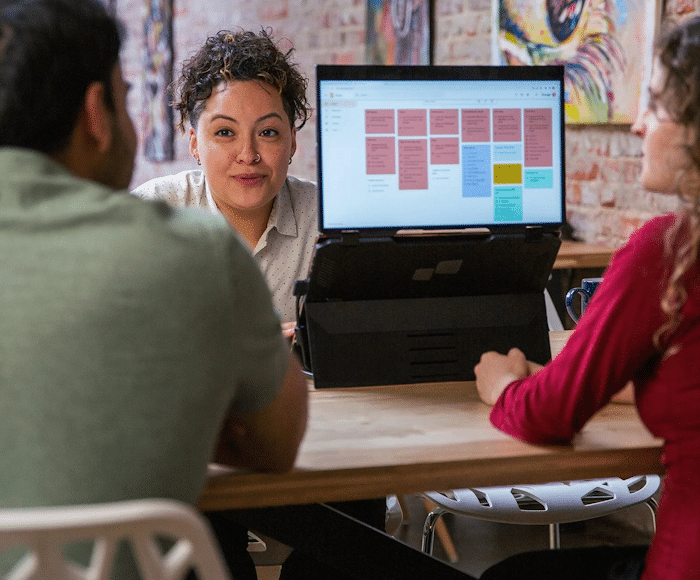
Mobile Pixels Portable Monitor
Collaboration is about doing and portable monitors support a “split brain” workflow that allows your group to proceed faster.
Two students can work. One becomes the researcher and uses the extra display to scan educational data sets and journals. Whereas the other can become a writer who drafts on the main laptop without scrolling anywhere or losing focus.
For STEM students this technology is more beneficial. You can use the laptop to host the code and the second one for live applications or viewing documents. This saves you from switching tabs, which results in extreme mental exhaustion.
Furthermore, in hybrid projects, some students join remotely. Therefore, use the portable screen for a video call so everyone can see the assignment, while staying dedicated to your physical workstation.
The Lightweight Workhorse
The portable monitor is designed to make students’ lives easier. They are hardly heavy and slide into your backpack without requiring a wall outlet. These draw power from your computer, allowing your group to collaborate in the student union, park or even at the back of a bus.
It basically takes the work out of such assignments, turning every table into a boardroom and every shared idea into a visible reality. Are you sure you want to miss out on such a cool technology that wants to boost your productivity? If not, then grab it.